One mouse and keyboard
Slide the cursor off the edge of one screen and onto the next computer. Keyboard, scrolling and shortcuts follow it, Mac to PC and back.
 DuoDesk
All your computers and your phone, working as one desk.
Screens, apps, files, clipboard, cameras, calls, texts, notifications, mouse and keyboard, shared between Mac, Windows, Linux and Android. Free and open source. No account, no cloud.
Features
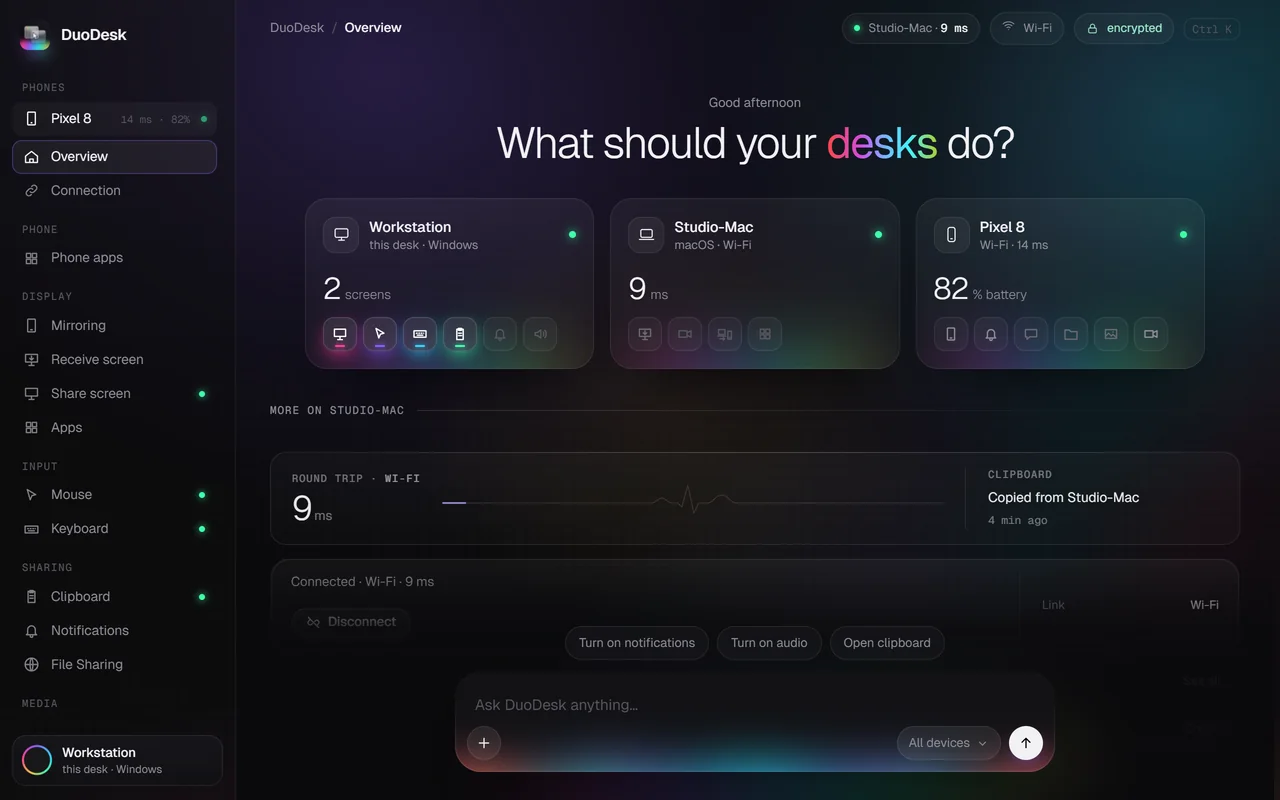
Put a Mac and a Windows PC side by side and use them as one. Every feature starts off and isn't even loaded until you turn it on.
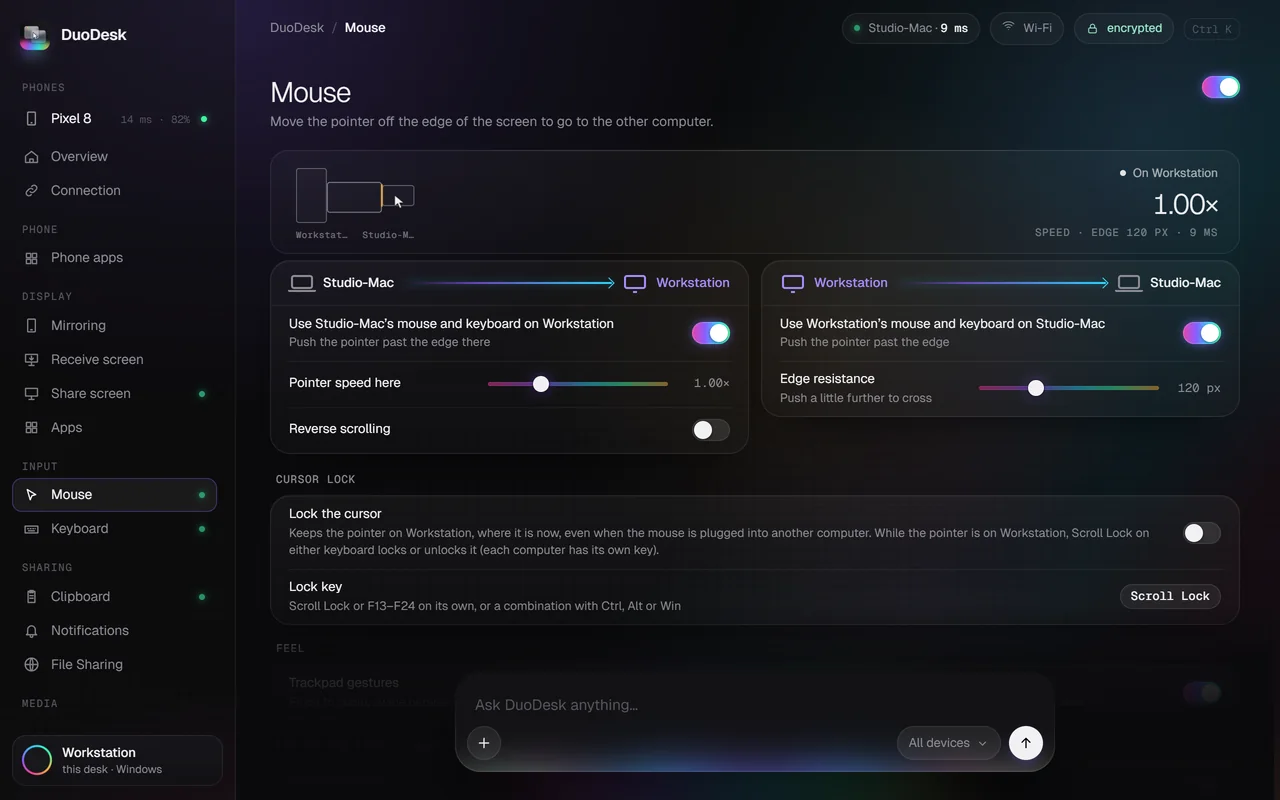
Slide the cursor off the edge of one screen and onto the next computer. Keyboard, scrolling and shortcuts follow it, Mac to PC and back.
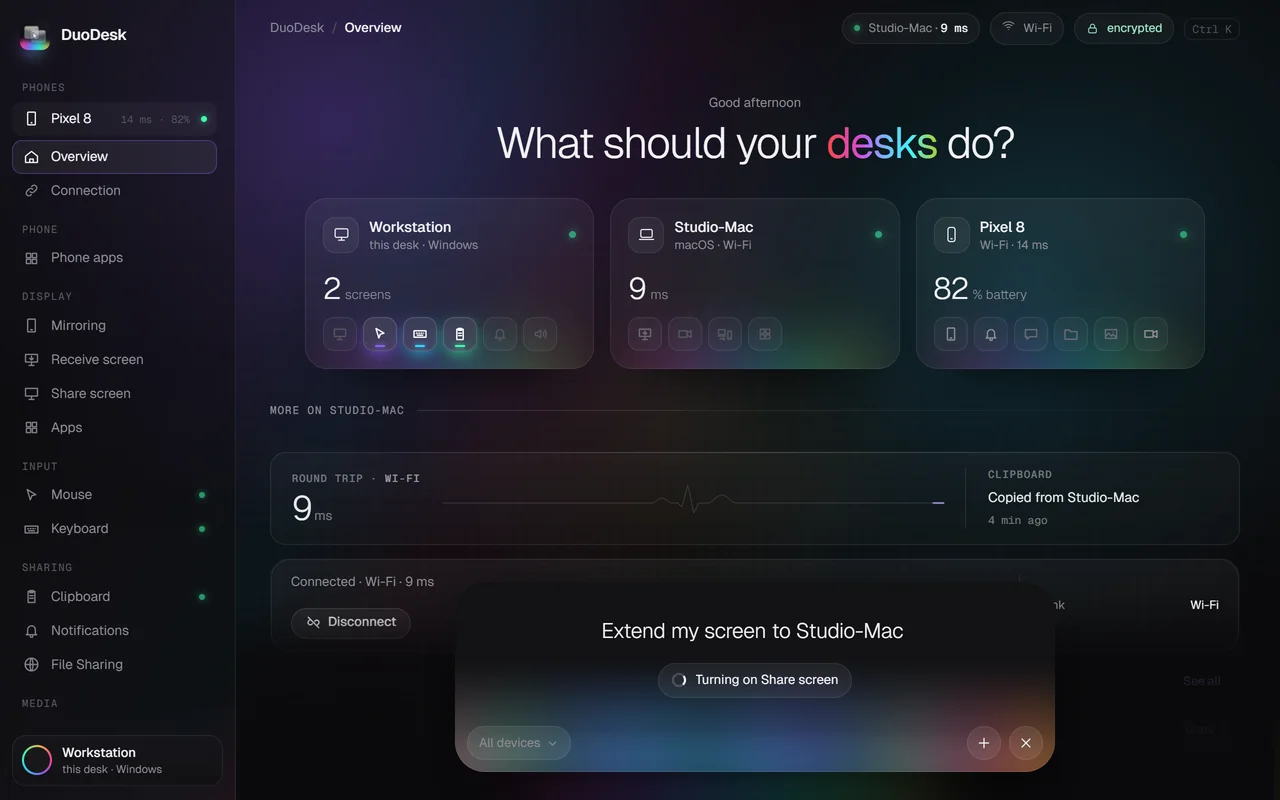
Turn an old laptop or an Android tablet into an extra display, or see another computer's screen in a window.
Open the other computer's apps, or your phone's, as ordinary windows on the desk you are sitting at.
Copy on one device, paste on another: text, images and files. Drop files across at full speed, or open a shared folder.
Answer calls and texts, see notifications, browse photos, and use the phone's camera in any video call. Or use it as a remote and gamepad.
Hand off what you were doing between your computers and phone: the document, the tab, the song. Pick it up right where you left it.
Connections
Same Wi-Fi, a USB cable, or no shared network at all: Bluetooth and a direct Wi-Fi link of their own. DuoDesk picks the best one, and moves you to a better one when it can.
DuoDesk Mesh connects every device at once, not just two.
Get started
Download DuoDesk for each computer, and the app for your phone or tablet.
The devices find each other. Confirm the same six digits on both, and you're paired for good.
Flip on the features you need. Everything else stays off, and isn't even loaded.
Privacy
Your devices talk only to each other. There is no server in the middle, nothing to sign up for and nothing that phones home.
Download
Install it on every computer and phone you want on the desk. Updates arrive inside the app.
Windows 10 and 11 · x64 and ARM64
Download .exemacOS 13 Ventura or later · Apple silicon
Download .dmgX11 and Wayland · x86_64 · AppImage, .deb and Arch
Download .AppImageAndroid 10 or later · phones and tablets
Download .apkThe apps aren't code-signed yet, so macOS and Windows ask once before the first launch. Here's how to allow them. All files and checksums are on the releases page.
FAQ
Yes. It's free and open source under the GPL-3.0 license, with no paid tier, no ads and no account. The full source is on GitHub.
Any combination: Mac with Windows, Mac with Mac, PC with PC, Linux with anything, and an Android phone or tablet with any computer. With DuoDesk Mesh, all of them at once.
No. The same Wi-Fi is the easiest, but a USB cable works too, and with no shared network at all DuoDesk connects over Bluetooth or makes a direct Wi-Fi link between the devices.
No. Devices talk only to each other over an encrypted link. There is no account, no relay server and no telemetry.
The apps aren't code-signed with a paid certificate yet, so the system asks once. On macOS, open it, click Done, then go to System Settings › Privacy & Security and click Open Anyway. On Windows, click More info, then Run anyway. On Android, allow your browser or Files app to install unknown apps. Updates open normally afterwards.
DuoDesk is a redesigned fork of TwinDesk by Inuka Asith, released under the same GPL-3.0 license. It brings a new interface on top of the same open, local-only foundation.
Support
DuoDesk has no ads, no paid tier and no account. If it saves you time every day, a tip helps keep it that way.
Payments are handled by Stripe on beyond-media.ai, so nothing is charged on this site. Open the tip page if the card doesn't load.